

CAD is “Computer Aided Design”. AutoCAD is a software produced by Autodesk company , to create blueprints of two dimensional and three dimensional objects (like building,bridges, and parts of machines etc.). The design is needed to produce models and prepare component production, and the analysis helps to calculate stress levels, the influence of forces and the influence of finite elements in a design.
The perfect way to become a master of this drafting application is to join the advanced architecture designing courses from AutoCAD training institutes, so that you gain confident and learn this software professionally.
Before AutoCAD, nearly 60% of manufactured parts, complex building and structures got in-completed due to drafting or designing error on paper, but now these problems are easily corrected with the support of software like AutoCAD.
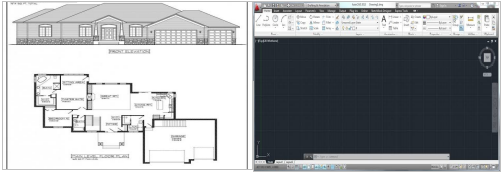
Drafted on Paper AutoCAD Window
It is impossible to do any work without any plan. The same theory applies for creation of buildings, amazing architectures or any machine design. We need a perfect plan (blueprint) to create these things. That blueprint is created on software like AutoCAD. It helps architects,engineers and designer to create designs and analyse the same before spending money, labor and time.
Attaining advanced AutoCAD training would be very beneficial as it is used on large scale by professional architects, engineers and firms for various applications such as Revit and 3ds Max.
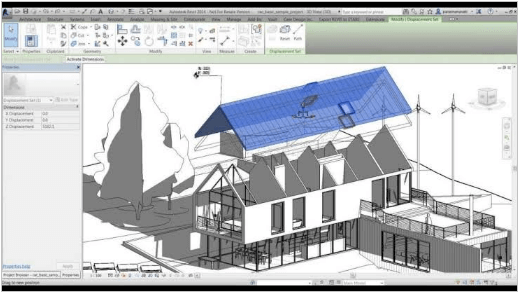
Some Benefits of using AutoCAD in Architectural Designing:-
- Increase productivity: This software helps designer to see the preview of final product by assemble all the parts together virtually, means on AutoCad software. Designer can apply animations in design by which actual working of the product is in front of you and can make changes easily by observing that. All steps of planning of design can be done by using AutoCad like analyzing, synthesizing and documenting . All of these factors help in improving the speed and quality of productivity of the designer and results into fast designing, lower cost and short project completion time. That is why designers
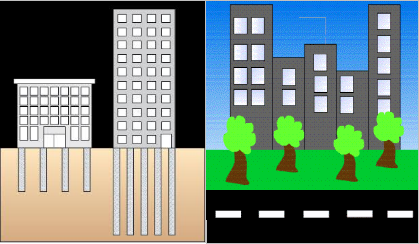
- Improved quality : Designers can get improved quality of design by using this software. CAD software are offers many tools that helps in proper analysis of the proposed design. The tools available in this software also help to consider large number of investigations which reduce the chances of faulty designs. By using this Designers can achieve greater accuracy in the designed product leading to better design. Eventually, better design helps carrying out manufacturing faster and reducing the wastage that could have occurred because of the faulty design.
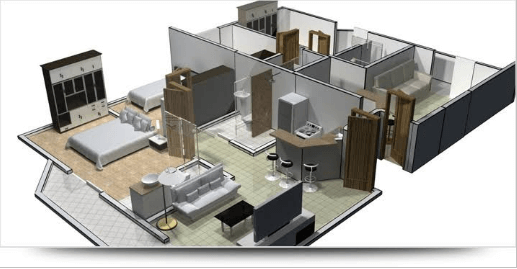
- Better Drawing of Designing: After designing the model, next step is making the drawings. By using this,you can make Better and standardized drawings easily. It helps in creating documentation better which is easy to explain and understandably less chances of errors while drawing.
- Documentation of the Design: After the completion of Designing, the next step is Documentation which is very easy to create by using AutoCad software. Documentation includes geometries, dimensions of product and material specifications for the components etc.
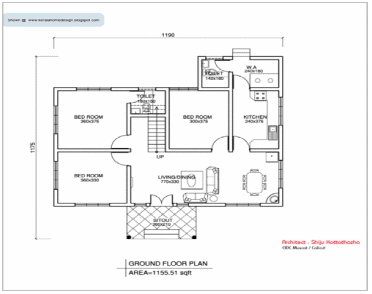
- Creating the database for manufacturing:When creating the documentation of designing, At that time you can collect most of the data which is required for manufacturing.Documentation can be called as database for manufacturing.
- Saving of design data and drawings: All the data used for designing can easily be saved and used for the future reference, thus certain components don’t have to be designed again and again. Similarly, the drawings can also be saved and any number of copies can be printed whenever required. Some of the component drawings can be standardized and be used whenever required in any future drawings.
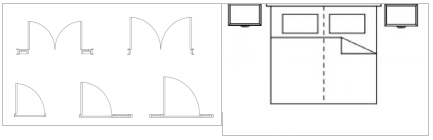
Door MASTER BED
- Easy to carry :- The blueprint (plan) can be carried easily in the form of hard-copy as well as in the form of pdf (or in any form of soft-copy).
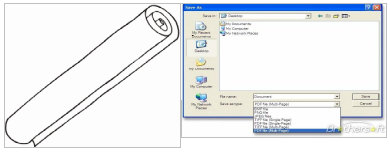
- Easy to take print out as required:– Generally, mesons needs the hard-copy of blueprints, so print out of the blueprint can be taken out whenever needed.
- Can be send through mail :- The plan of the building or the design of the structure can be send through mail, which shows the blueprint through AutoCAD can easily transferable.

- Easy to store :- The design can be store in a storage device with ease, so the design can be use anytime and can be modified easily if required .

Conclusion:- “PLAN BEFORE EXECUTION IS VERY IMPORTANT” So must make blueprint of buildings because we can’t recreate a building in a short time. For making the blueprint of your building, AutoCAD is the best software.
So, if you’re desiring for become a AutoCAD master, you should really go for a finest AutoCAD training institute in Delhi for professional level of training in AutoCAD. Hope this blog will assists you in developing the right understanding towards AutoCAD.
Prepared by : Mohd Aniz
Thanks for reading this blog..
